Hi all I have looked through the forums by can’t seem to find a similar problem or solution.
Quick background Switch comes in with the usual damaged usb port.
So I replace that as usual no problem. Test voltage going to battery terminal, yep fine put back together…won’t turn on.
Ok check m92 no shorts check p13 no shorts.
Ok well I’ll change them both anyway just to be sure. Still the same won’t turn on.
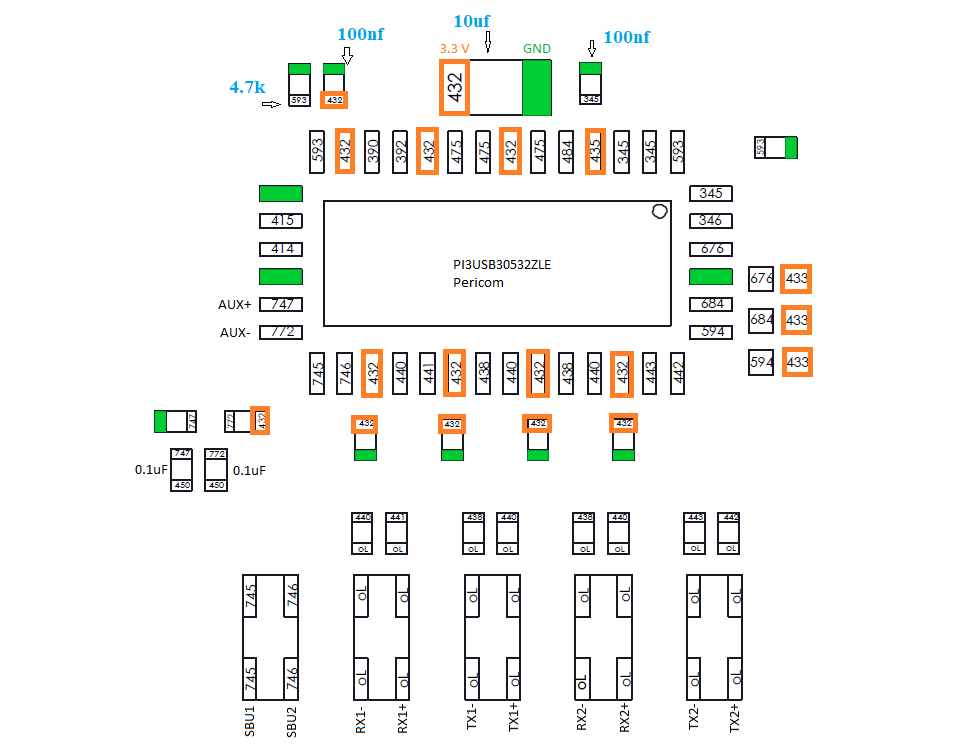
There are no shorts anywhere on the board. The only thing that I can find that’s different from a good known working board here is these readings see image.
Everything that is on the 3.3v rail is low on a diode reading about 205 as opposed to 436 anyone got any ideas what might be the problem? I have removed the p13 and readings are the same with the chip off so I need a bit of help what might be the culprit?
No RCM Mode, HAD -CPU-01, what do you mean draw sequence? without a battery it draws no amps as expected. with a battery the usual 0.45a. when trying to power on nothing cpu doesn’t get hot. amps don’t change ect. swapped m92 and p13 this afternoon for a 2 good known chips off a working board still no dice any ideas?
swapped screen and battery for know working ones too.
current draw sequence(without battery) on switch is like 0A–> 0.1xxA–> 0.005A within 5sec.
I dont think you have a dummy battery/bench DC supply to measure boot up current draw. But normally if current draw stucks around150mA~250mA, it’s likely dead Emmc.
I would suggest check MAX77812 and Max17050,since you still having 3.3v
 any ideas?