hello i have a ps5 slim that is having overheating problem have already cleaned it and also have change the fan but still same problem it gives me overheat message on the screen and then after some minutes the ps5 slim turn off
can some one help?
hello i have a ps5 slim that is having overheating problem have already cleaned it and also have change the fan but still same problem it gives me overheat message on the screen and then after some minutes the ps5 slim turn off
can some one help?
What about the liquid metal on the APU?
i haven’t changed it
Did you check the die of the APU for dry spots?
If the liquid metal is oxidized and has dry spots, the heat isn’t transfered fast enough away from the APU.
there is no dry spot, the liquid metal is still good
but still the ps5 slim is overheating
Why do you changed the fan?
i changed the fan because i thought that the fan was not good but same problem so i put the old fan and the old fan is working fine
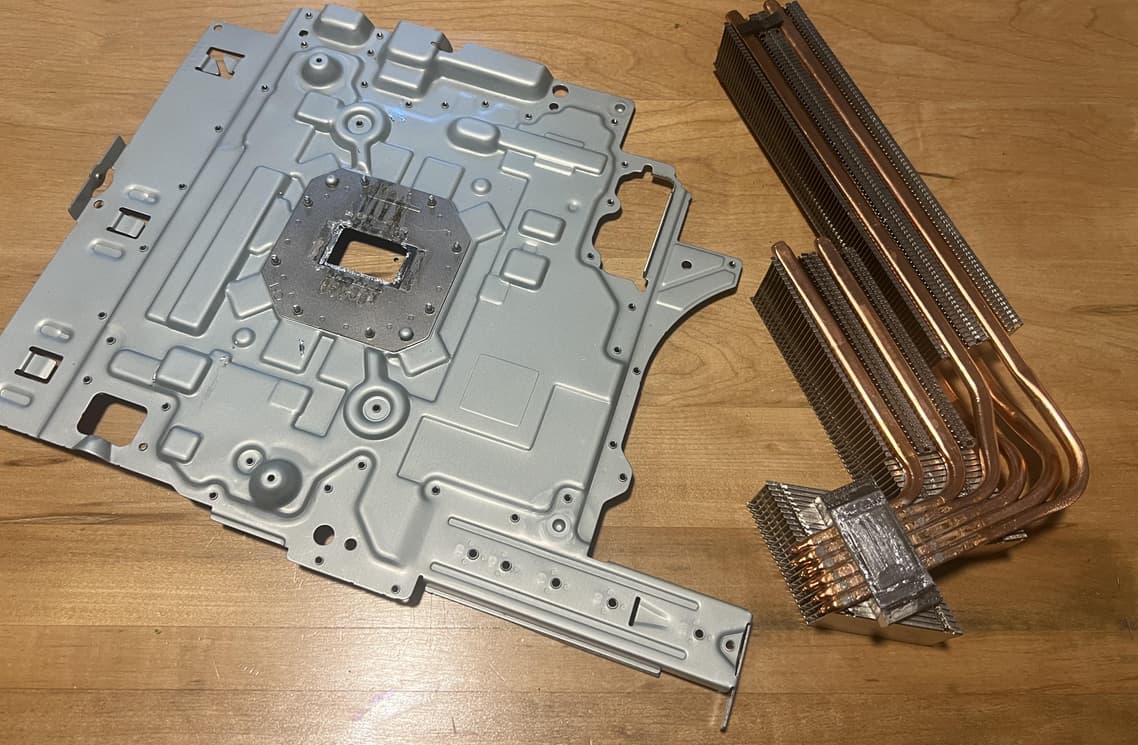
I would check if the heatsink is still securely attached. On the PS5 Slim, the heatsink element is glued to the rear frame. It’s possible it has come loose and even if the APU clamp is screwed on, not pressing the heatsink on the APU.
If you try to move the heatsink carefully (without the mainboard inside! If movement is possible, it could damage the APU), the rear frame should hold the heatsink in place.
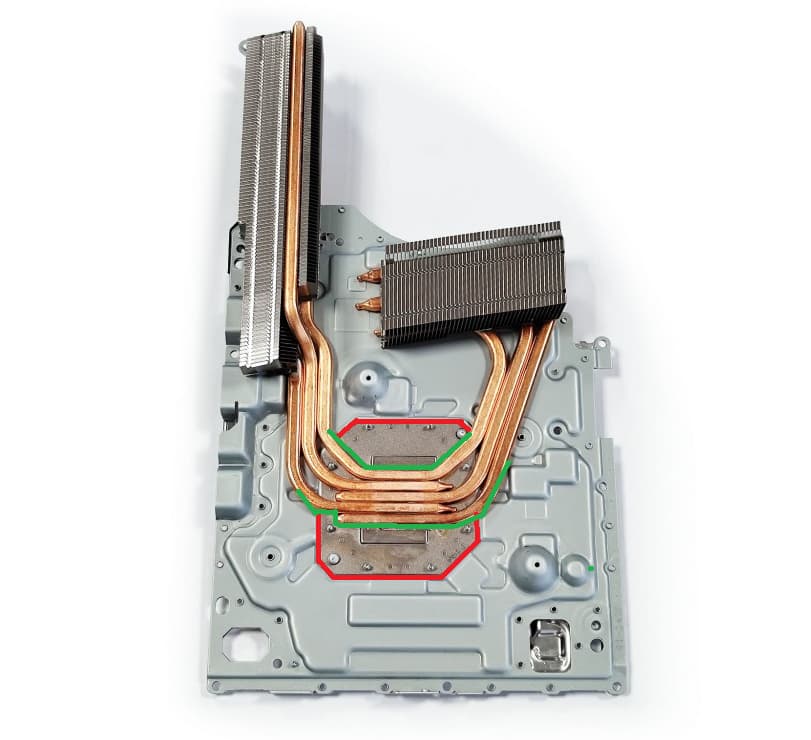
can you show me where is it located ?
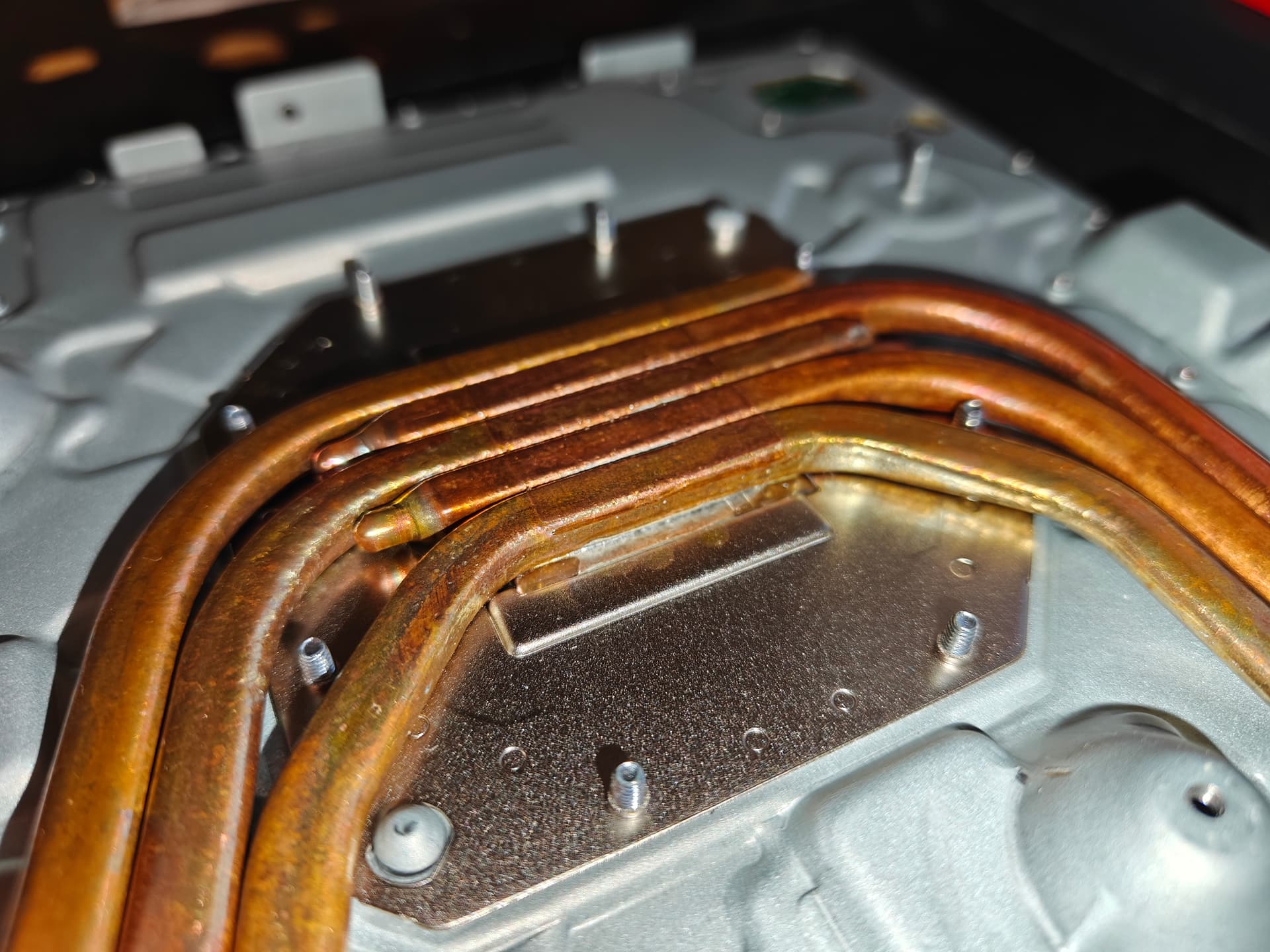
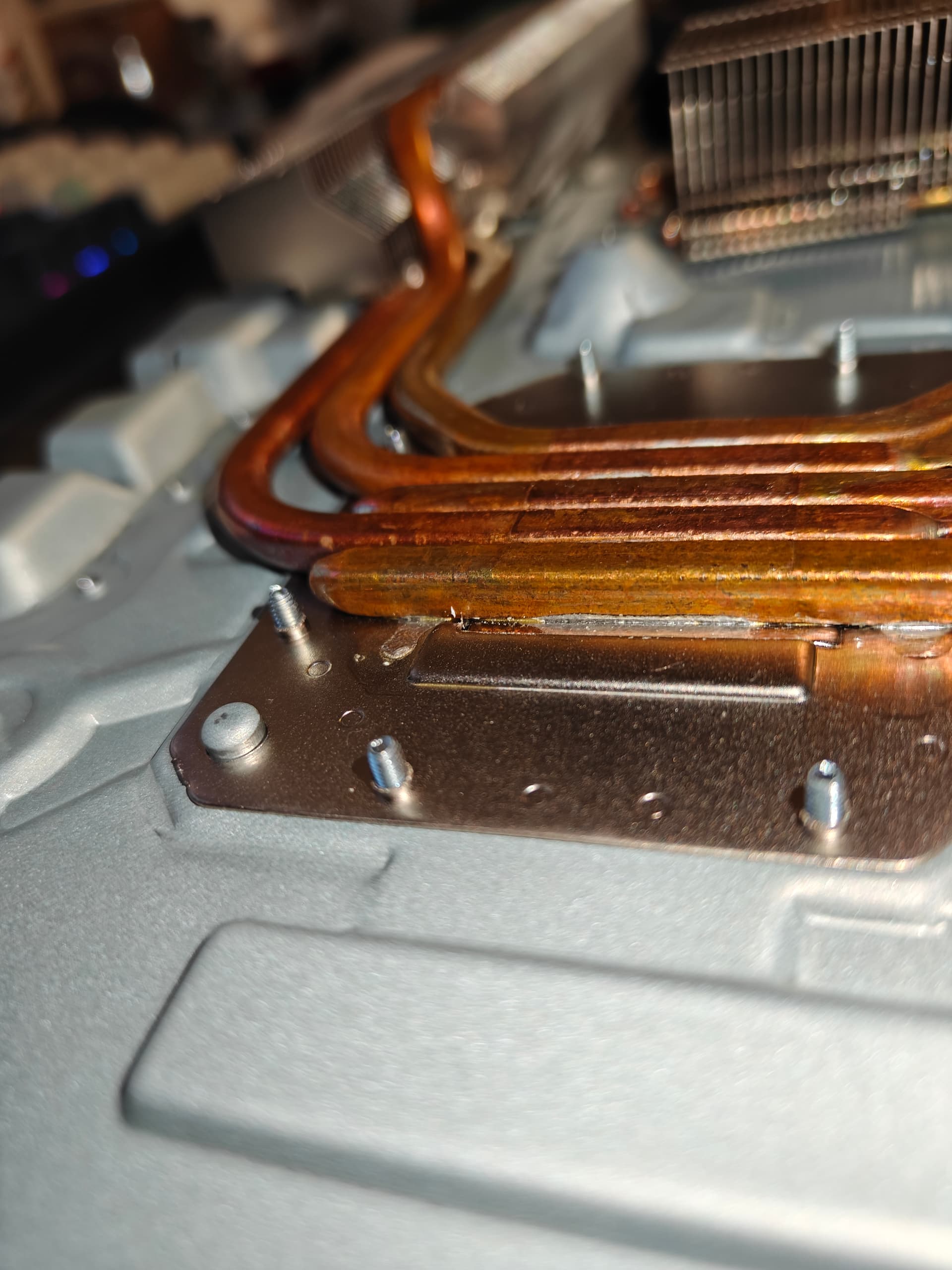
The red marked plate is screwed to the grey back plate. At the slim models the green marked heat pipes are not soldered but glued to the red marked plate. If the glue fails and the heat pipes come loose, a little plate on the backside of the heat pipes which is in direct contact with the APU, is not fixed anymore will loose contact to the APU. And so the heat transfer will not work anymore and the APU overheats
The green marked heat pipes at the red marked plate should not move independently.
i have check it and the heat sink tube is not moving individually
I had one case, where the housing was bent and the heat sink wasn’t making propper contact with the die of the APU. If you remove the liquid metal and apply thermal paste for a test you can check if the heat sink block is making good contact with the APU die.
Do you have UART error codes?
@jkyoho Seems to be different revisions with some soldered and some glued. Yours looks soldered. 
I had one with the same issue. I tried using the console vertically and the problem disappeared. Hopefully it works for you