to the best of my knowledge and judging by the way it behaves, it’s certainly a no clean flux, this is effectively the chinese equivelent to the Amtech 559
I like getting the tubs and manually filling a syringe as it’s more bang for the buck but also it gives you the oppurtunity to mix in the tub prior, you’ll find the pre-filled syringes develop a strange consistency after a while as the water splits.
Yeah, it surprised me, I used 60/40 for an age, then switched to 63/37 but… i was using some chinese 63/37 which in hindsight was obviously not in actuality a 63/37 alloy, but evidently whatever they could throw in the melt pot… got some chip quik (or any other name brand 63/37) and in contrast it’s like using low melt by comparison. and has the positive side effect of producing some really nice shiny joints which is handy during reflow as a visual aid.
It can’t hurt though i tried to put the elctrical tape around it after every use and it didn’t make much difference
I haven’t used this stuff myself and I’m just reccommending it based on Paul Daniels video, he likely uses it on a much more frequent basis than i do for macbook boards etc and it seems to work for him, looking at the chemicals involved it seems fairly similar to the chemtronics stuff i use so wouldn’t expect any problems and it doesn’t seem to contain anything like the caustic soda found in the solution you currently have so should be pretty safe. from the description it say’s
Ideal for the cleaning and degreasing of delicate electronic parts
So hopefully it’s ideal
Yes, I also checked the description that electronic parts are stated on it but mine should also be explicitly for PBCs and You see how this sh*t behaves
Although if Paul Daniel is using it than it cannot be so bad…
An another interesting topic I just found in one of your previous post is the EMMC / SD card reader. I immediatley ordered one from the designer Guy. It looks like super simple but this guy deserves that little money… But now I also need to buy a Raspberry
I’m starting to get the impression that the “removes solder mask” comment within the EMAG datasheet wasn’t infact a typo… but the other descriptions are typos
Absolutely, I ordered one a week or two ago, i think the price is very reasonable, it hasn’t arrived yet but seems to be a bit of a lifesaver… i was having to use a beaglebone prior which was a bit of a pita, I’m curious to know how it behaves in Windows and if the boot0/1 partitions are accessible
According to the dev, it should work on a standard linux distro, ubuntu live disk for example as the controller on the board takes care of it.
I talked to the Guy today and asked about Virtualbox. He just tried it and it works with Ubuntu without any drivers.
I also asked Windows but he told that not all the partitions can be read. Boot 0 and boot 1 only works in Linux.
Now I have to learn some basic Linux stuff because I have never used it before…
Have you ever done something like this? How do you know if it is corrupted? Can you just compare it with a known good one?
Sorry for the stupid questions.
That’s cool, VirtualBox will make it somewhat more convenient.
Ah i half expected this, not the end of the world though.
Doesn’t look too complicated, seems to boil down to a few terminal commands, in fact they seem the same as the ones i was having to use on the Beaglebone, when my unit arrives, if you get stuck I’ll let you know what to do.
Yeah a few times with mixed results using a low voltage EMMC to SD adapter.
This ones a bit tougher to answer, certain partitions are encrypted and require the BIS keys in order to decrypt, In cases of corruption it can vary, sometimes data can get mangled but partition structure remains intact, sometimes partitions are lost and have be recreated, sometimes the the module is not accessible at all regardless of what hardware/tools your using. Sometimes you can cut and patch critical data using “donor” files, provided all minimum device specific info is intact in the original.
Depends on the partition, you can usually just use Choi or EMMCHaccGen to recreate the boot 0/1 and write them in order to rule them out, the Prodinfo/F partitions are a bit tricker to check without the keys to decrypt though you can still get a vibe for possible issues while they’re still encrypted in a Hex editor.
I will say though, I’m by no means a software or Hex guru, I know people who can understand and modify the encrypted data (not just talking about Switch here but other firmware modules for other devices) they’re on a completely different level and my knowledge is infant like by comparison.
Many thanks. This seems to be really interesting. I hope we can save even more Switchs with this little tool.
This does not seems to be an easy task Most of the programs, partitions you mentioned are still totally new for me. Do you know any good source to dig into detail? Some good forums, blogs or Youtube video?
What I do not understand in this video that the guy mentioned that it can be done with patched and unpatched consoles. He does all the steps in Hekate but in a patched console you cannot inject Hekate Payload so than how does this work?
Sorry don’t know which video your referring to, but it’s very likely he was using the SX modchip on the patched console in order to launch Hekate there.
Or less likely, the patched console was on a still explotable FW version.
from memory there are few caveats to “transplanting” the prodinfo etc from other consoles, the worst of which is likely online play (i exoect bans as a result of this) So it’s not an ideal solution.
At which point for a similar end result (though i haven’t used it myself) you may as well use ProdInfoGen which creates bare minimum prodinfo, and if you have even a partially accessible decrypted console original prodinfo partition dumps then you can fill in the gaps.
I wonder if the QR codes stamped on the mainboard and EMMC etc contain any useful information, I can’t see any pattern after scanning, but maybe someone else knows more regarding this.
Regardless of whether or not you try either of the above, it’s worth backing up all original EMMC data and clearly naming it and keeping it safe worst case (provided it was accessible) you can write it back and start from square one.
Hello
I have just received my solder balls and the first jig.
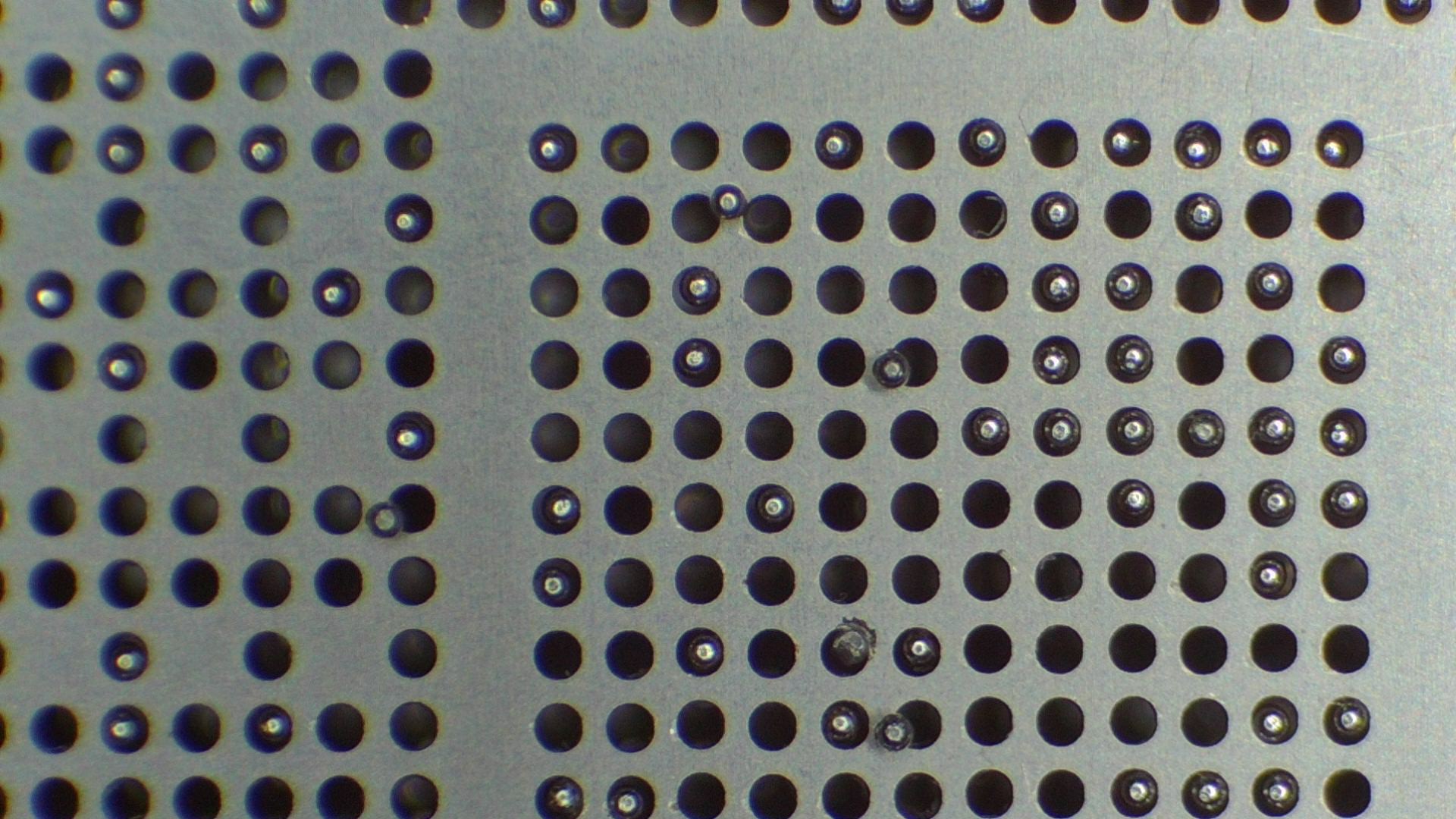
Regarding the solder balls I promised you that I will check my stencil with 0,4mm balls. Well it mostly works but there are certain holes or certain balls which would slightly stuck in the hole and I assume this would be a pain in the ass. Wheter this is coming frkm the stencil or balls inaccuracy I cannot tell you.
Regarding the jig you were right (again ). Basically it grabs the SoC pretty well but there is definetly a gap of ca 1mm between the SoC and the stencil. I assume this is too much… Should the stencil lay directly on the SoC right? I was thinking if I could somehow shim it out. Maybe 3d print a thin frame under the chip.
Yes, I saw that the end the guy showed that basically a pseudo serial nummer has been genetated which definetly not ideal. I do not mind hacking the Switch I only want to repair the most. Even the ones with corrupted EMMC.
Thanks for checking, next time I place an order with mouser or wherever, I’ll add some 0.4mm solder balls while I’m at it and see if they’re a half decent fit.
Yeah a bit too much. You probably don’t want it sitting completely flush with the IC as you’ll likely just cover it in flux and the balls are more likely to come off with it when removing, ideally you’d want to be almost touching but not quite, i suppose a minimum would be less than half the height of the diameter of the balls in order to disuade more than one ball occupying more than one hole (though it’s inevitably still going to happen)
Yeah that might work, you could print a hollow square off at the same dimensions < 0.2mm in order to raise the IC up the gap difference.
Even the Jig I reccomended holds the stencil a hair to high, it works but has the issue of two balls trying to occupy one hole which could also be as a result of the ball/stencil size as mentioned earlier… either that or i lap the Jig in order to bring the height down a touch,.
Sorry but I need your help again
I 3D printed a spacer which works perfectly. I applied a really thin layer of flux with my finger (I know it is not ideal but this is just a donor SOC ) All the wholes are nicely filled up with balls and as soon as I want to remove it a lot of balls stuck to into the holes. But not because of oversized.
Possibly too much flux, hard to describe but you want it to just have a sheen of flux, no thickness to it, use a cotton swab/earbud to spread it over the pads.
It’s also possible the stencil is too close to the IC which may be causing the problems as well.
Also, be sure to clean the stencil thouroughly, they come caked in oil and steel powder/dust it seems.
I have really no idea. Lifted up sightly now. It is definetly not touching the SoC. Basically there is no flux on the SOC. Cleaned the stencil in IPA for 10min and stil 30-40% of the balls stuck to it.
 for example, that ultrasonic fluid your using is probably 100x more toxic
 though i tried to put the elctrical tape around it after every use and it didn’t make much difference


 worst case (provided it was accessible) you can write it back and start from square one.